Find it. Be there.
Search for a window or browser tab, preview it, and jump straight in.
 Glance
YOUR MAC. A LITTLE MORE CLEAR.
A beautiful view of everything you’re working on.
Less searching. More room to think.
01 / THE WHOLE PICTURE
Your next thought shouldn’t start with a search.
Bring your windows together, neatly grouped by app.
See where you left off. Pick up from there.
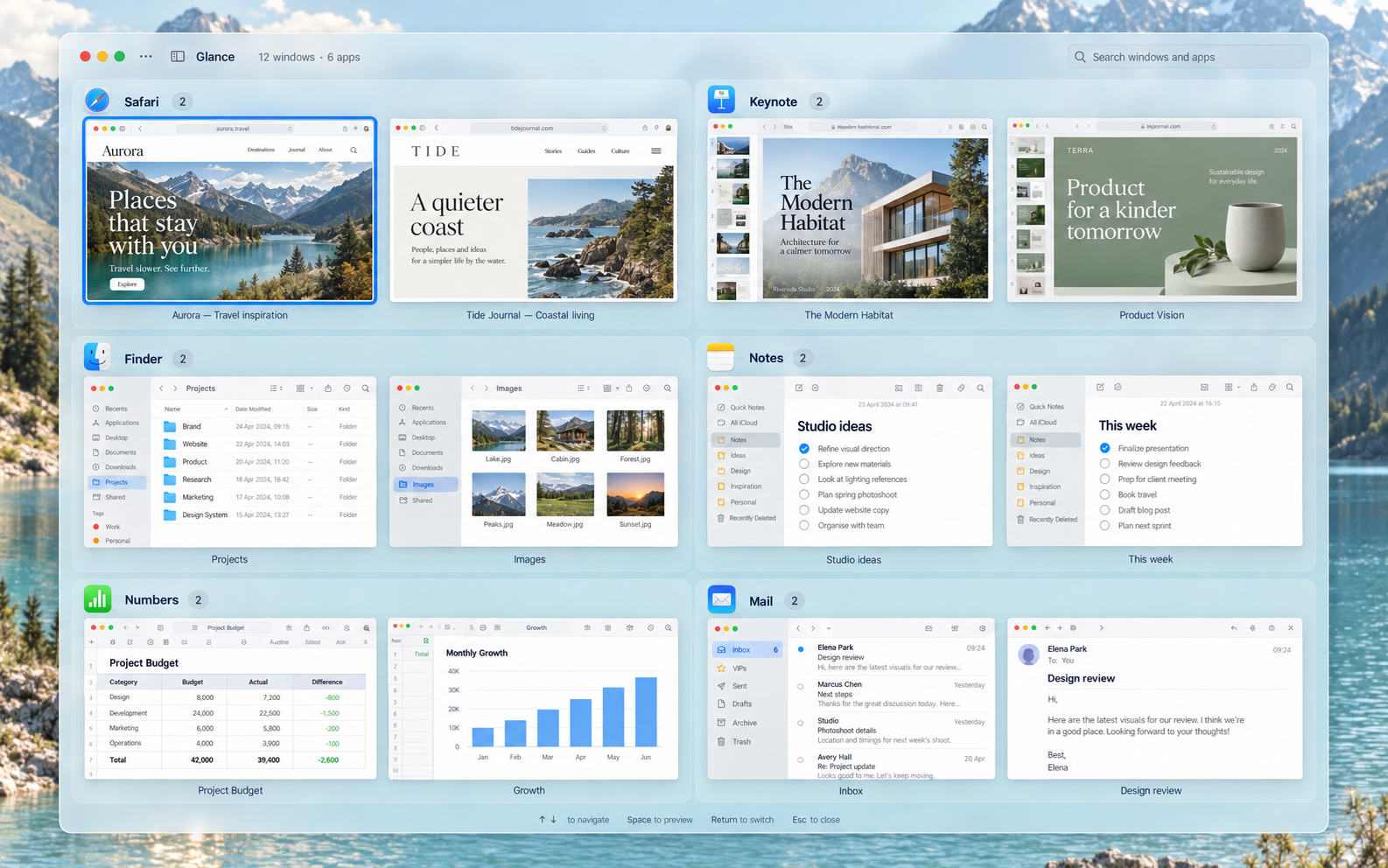
All your open windows, grouped by app. A familiar place to find whatever comes next.
Search for a window or browser tab, preview it, and jump straight in.
See what’s inside before you switch. Even a quick look can keep your train of thought.
Minimise a whole app’s windows together. Clear your desktop for what matters now.
02 / ARRANGE
Place a window. Then the next. Even on another display.
Glance stays open, with every preview still at hand.
Ideas worth making room for.
○ Explore a new direction
○ Collect the references
○ Bring it all together
The references look great. Let’s bring the ideas together for our next review.
Glance4 windows · 4 appsResearchLeft half
NotesTop-right quarter
MailBottom-right quarter
Project planMove to display 2
Animated illustration with fictional sample windows. Layouts simplified for the walkthrough.
Halves, quarters, thirds and two-thirds. Or create your own positions and activation areas.
Carry a preview to another display. Arrange from Glance, a window’s title bar, or a keyboard shortcut.
Undo placements in order with ⌘ Z, or restore a window to where it started in the session.
03 / PINNED Coming soon
Your day changes. Finding your apps shouldn’t.
Keep favourites close, group the rest your way,
and come back to somewhere familiar.
A preview of what’s next. Pinned and Always Here are coming in a future update and aren’t included in the current download.
GlanceFieldnotes — A wider perspective
The references look great.
Let’s bring the ideas together.
Design review
Project ideas
Project plan
Summer memories
Evening playlist
Try the page names, or close and reopen Notes. Illustration with fictional windows; layout simplified.
Keep your most-used apps in Always Here. They stay above your Pinned pages, so your essentials are always close.
Name your pages and drag app groups into order. Click a page name or use a two-finger swipe to move between them.
Close an app’s last window and its place stays reserved. Open the app again from the same spot.
A little organisation, whenever you want it. Coming soon: optional Pinned and Always Here controls in the switcher and Settings.
04 / FEELS LIKE HOME
Familiar by nature.A native macOS app that fits into the way you already work.
Your own perspective.Choose a background and make your workspace feel like yours.
One less interruption.Preview from the Dock. Find the right window. Stay with your thought.